Fixik.io Helper
Samsung MDM Bypass Information, guides and support resources for Fixik.io users. Learn about Samsung MDM, Knox Guard, device compatibility, browser-based repair workflows, and authorized servicing procedures.
What is Fixik.io?
Fixik provides browser-based Samsung MDM Bypass servicing tools designed for device owners, refurbishers, repair shops, and technicians working with supported devices. In addition, the platform offers a simple and efficient workflow that can be completed directly from a compatible web browser. As a result, users can service supported Samsung devices without installing additional desktop software.
Samsung MDM Knox Guard Browser-Based ADB Workflow No Desktop SoftwareImportant Notice
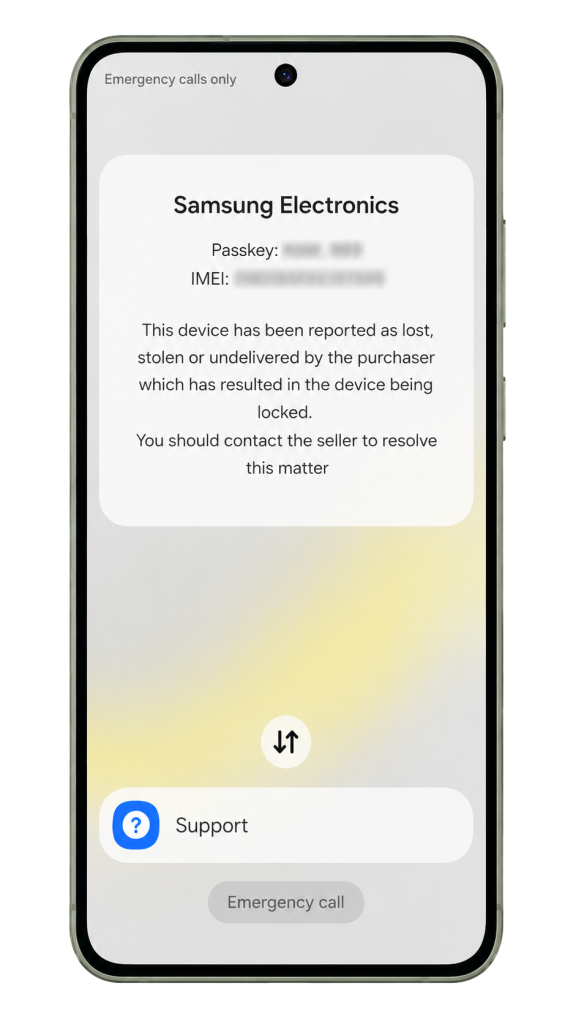
Samsung Knox Guard and MDM are security systems designed to protect and manage devices. Therefore, Fixik services should only be used on devices that you own or are explicitly authorized to repair. In addition, it is important to ensure that all servicing activities comply with applicable laws and regulations.
Samsung MDM Bypass | Fixik
Enable ADB access using the supported preparation methods.
Connect your Samsung device to a supported browser.
Verify support status, Android version and Knox state.
Launch the Fixik workflow using your activation key.
Requirements
- Windows, Linux, macOS or ChromeOS computer
- Chrome or Chromium-based browser
- USB data cable
- Valid Fixik activation key
Frequently Asked Questions
Is the solution permanent?
Please note that the device is not removed from Samsung's servers.
After MDM bypass phone remains active and the phone can be used normally for everyday tasks. We guarantee that the device will not become re-locked during normal use.
However, if you perform a Factory Reset from Recovery Mode, the device will contact Samsung's servers during the initial setup process and the MDM lock may be applied again.
Which software i need to install?
No additional software is required. Instead, Fixik works directly in your web browser using Chrome, Edge, Brave, or Opera. Simply connect your Samsung device with a USB cable and follow the on-screen instructions.
How long take remove operation?
The removal process usually takes between 5 and 15 minutes, depending on the device model, Android version, and connection speed. In most cases, supported Samsung devices are completed within just a few minutes after the repair workflow starts. However, some devices may require additional time due to their configuration or software version.
Can i reset or update firmware?
To prevent the MDM lock from returning, Fixik disables Factory Reset and OTA (Over-The-Air) updates. As a result, the device remains unlocked and protected from automatic re-locking during normal use.
Ready to Get Started?
Check compatibility, prepare your device and start the Fixik workflow.
Visit Fixik.io